
Hi there! I'm Todd Hayes, head honcho at Hayes Digital Marketing. I love helping small businesses grow using my decades of experience in the internet world... and I hate talking about myself in the 3rd person.
How to Create an AI Website Audit Tool in Claude Projects
Todd Hayes • June 1, 2026
Build an AI-Ready Website Audit Tool in 5 Minutes
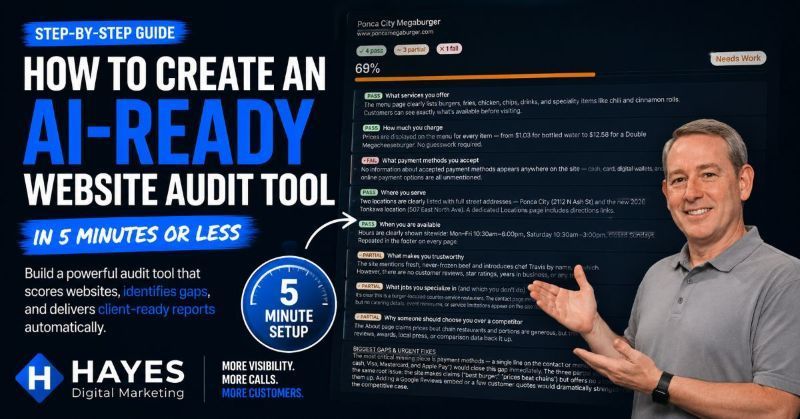
We all know by now that online search is shifting to AI more and more each day. From early AI overviews, to prominent AI answers burying traditional Map Pack and Organic search results.
Soon we'll likely see only AI answers to search results (although likely speckled with paid ads).
Users are now searching for "What plumber can I have come repair a leak today at 6PM?" instead of just "emergency plumber near me".
Searches are getting longer and more specific, Google is looking up availability and answer to the searchers questions without showing the traditional results.
We ALL need to make it easy for the AI search bots to easily see ALL of the necessary answers to ALL of the possible questions that people are asking and need to know.
How do I check my website to see if it answers the questions for AI?
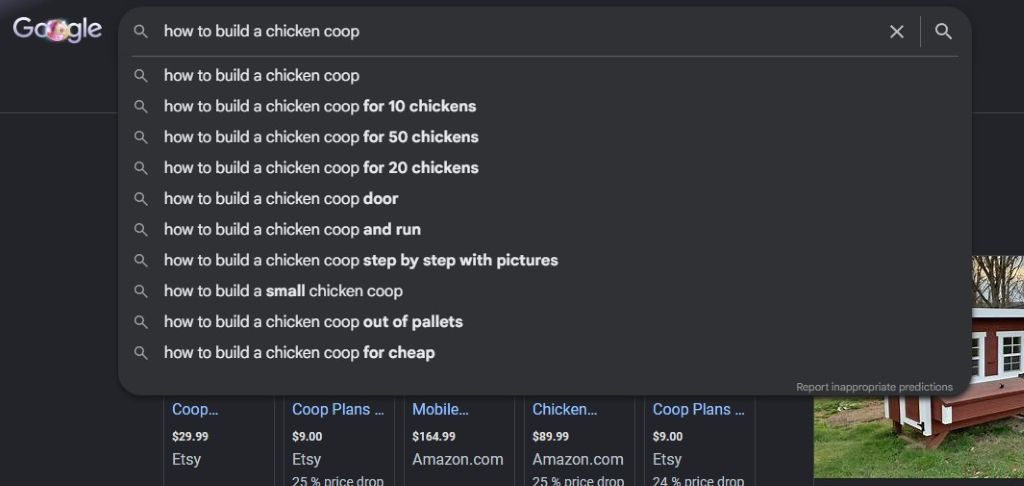
Personally, in my client builds I've been brainstorming all of the necessary answers to questions and referring to Google's own autocomplete and their "people also ask" list of similar and related searches.
Darren Shaw of Whitespark, the highly active Canadian local seo guru, passed on a list of questions in his "SEO Insiders" newsletter that we all need to answer as a baseline for AI search.
The list of questions:
- What services you offer?
- How much you charge?
- What payment methods you accept?
- Where you serve?
- When you’re available?
- What makes you trustworthy?
- What type of jobs you specialize in (and which ones you don't)?
- Why someone should choose you?
All great and helpful questions! Which would make quite a bit of work for me manually scanning back through dozens and dozen of my client's websites.
For overworked and under appreciated SEOs like me, I decided I was all together too busy (or too lazy?) to work this scan of all of the sites into my current schedule so I did what any modern digital marketer would do... I went to my buddy Claude to build a tool to do it for me.
Build an AI Audit Tool Using Claude
This felt like perfect task for a Claude Project that I could use over-and-over again without copying and pasting a lengthy prompt for each client's site.
It only took 15 minutes to create the tool and now you can can build your version in 5 minutes or less, here's how...
Step 1: Login to claude.ai
Open your browser and navigate to claude.ai. Sign in with your existing account, or create a free one if you don't have one yet. If you don't already have an account, just create one.
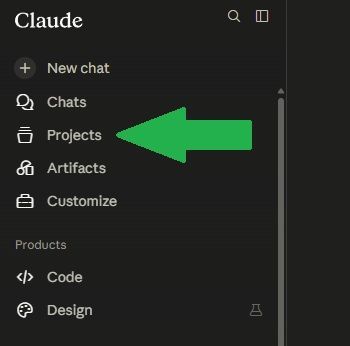
Step 2: On the left hand side of the screen, click on "Projects"
On the left side of the screen you'll see a sidebar with navigation icons. Click the one labeled Projects (it looks like a folder or briefcase icon). Note: If you're on mobile, tap the menu icon in the top-left corner first to open the sidebar.
Step 3: Click "New Project"
At the top of the Projects screen, click the New Project button. A dialog will appear asking you to name your project. I named mine
AI Ready Website Audit
Note: You can name it anything you like. This is just for your own reference.
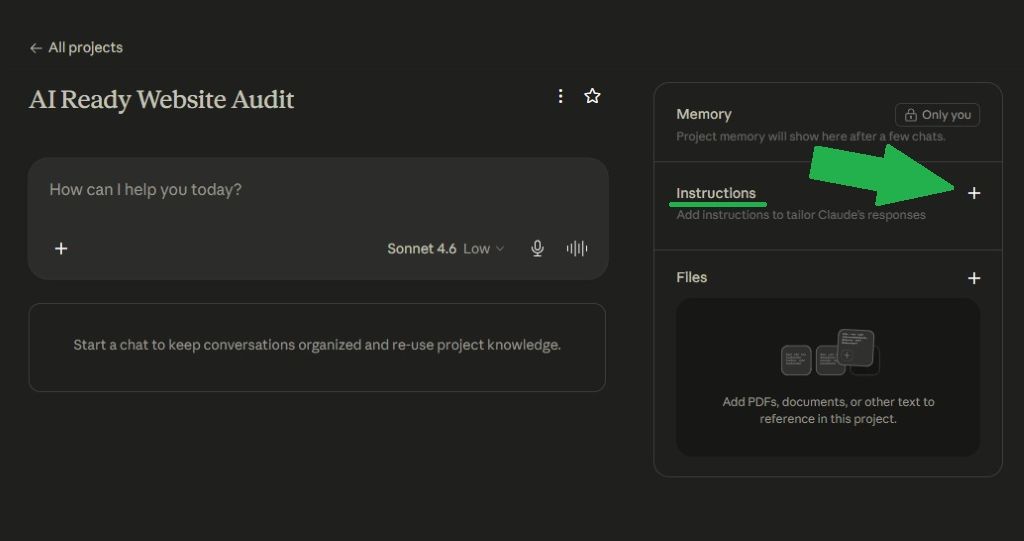
Step 4: Open the Project Instructions
After the project is created, you'll see a panel on the right side of the screen. Click the pencil (edit) icon next to "Instructions" to open the instructions text box.
Step 5: Paste the Project Instructions
Copy the entire block of text in the next section and paste it into the instructions box. Then click Save. Click the button below to copy the full instruction set then right click in your Claude instructions
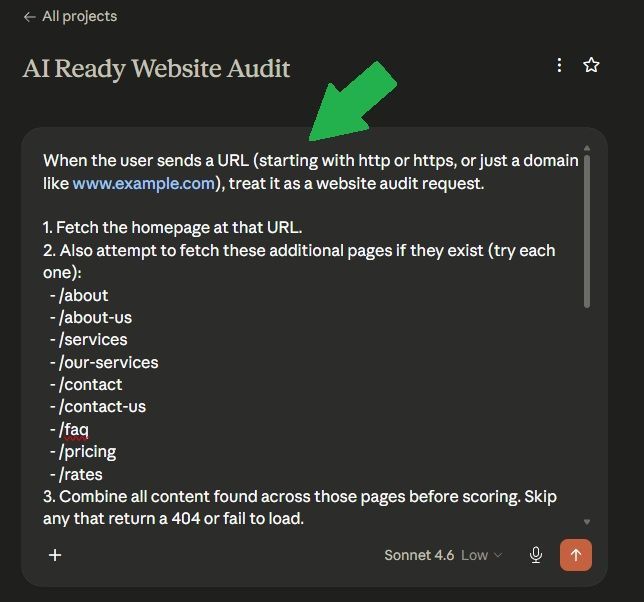
Here's the full text if you'd like to select it to copy manually:
When the user sends a URL (starting with http or https, or just a domain like www.example.com), treat it as a website audit request.
1. Fetch the homepage at that URL.
2. Also attempt to fetch these additional pages if they exist (try each one):
- /about
- /about-us
- /services
- /our-services
- /contact
- /contact-us
- /faq
- /pricing
- /rates
3. Combine all content found across those pages before scoring. Skip any that return a 404 or fail to load.
4. Score the site against these 8 questions, rating each as pass, partial, or fail with a 1-2 sentence finding:
- What services you offer
- How much you charge
- What payment methods you accept
- Where you serve
- When you are available
- What makes you trustworthy
- What jobs you specialize in (and which you do not do)
- Why someone should choose you over a competitor
5. Calculate a score: pass = 100pts, partial = 50pts, fail = 0pts. Divide total by 800 for a percentage.
6. Render a visual scorecard widget using the show_widget tool with:
- Pass items: green left border
- Partial items: amber left border
- Fail items: red left border
- Overall score percentage and grade (Strong = 75-100%, Needs Work = 45-74%, Critical Gaps = 0-44%)
- The site name and URL at the top of the scorecard
- A tally showing how many pass, partial, and fail ratings were given
- A score bar that fills proportionally and changes color (green for Strong, amber for Needs Work, red for Critical Gaps)
- A 2-3 sentence summary of the biggest gaps and most urgent fixes
Step 6: Start your first audit
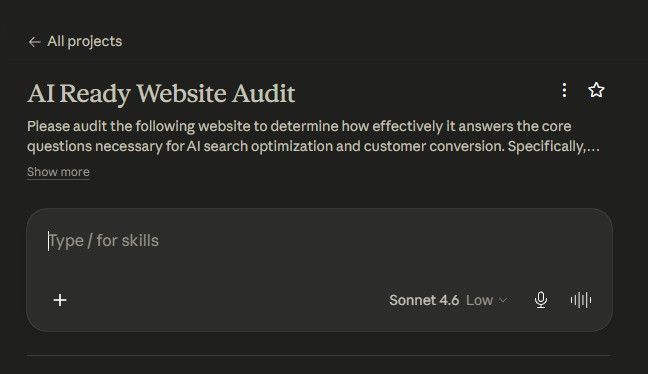
Click "Start a chat" (or "New chat") inside your project. In the message box, simply type or paste any website URL and press Enter. Claude will fetch the site and return a full scored report.
Each time you want to audit a new site:
Open the project, start a new chat, paste the URL. Start a fresh chat for each client to keep results clean. Note: Use a new chat for each site. Do not run multiple audits in the same conversation.
The Audit Results
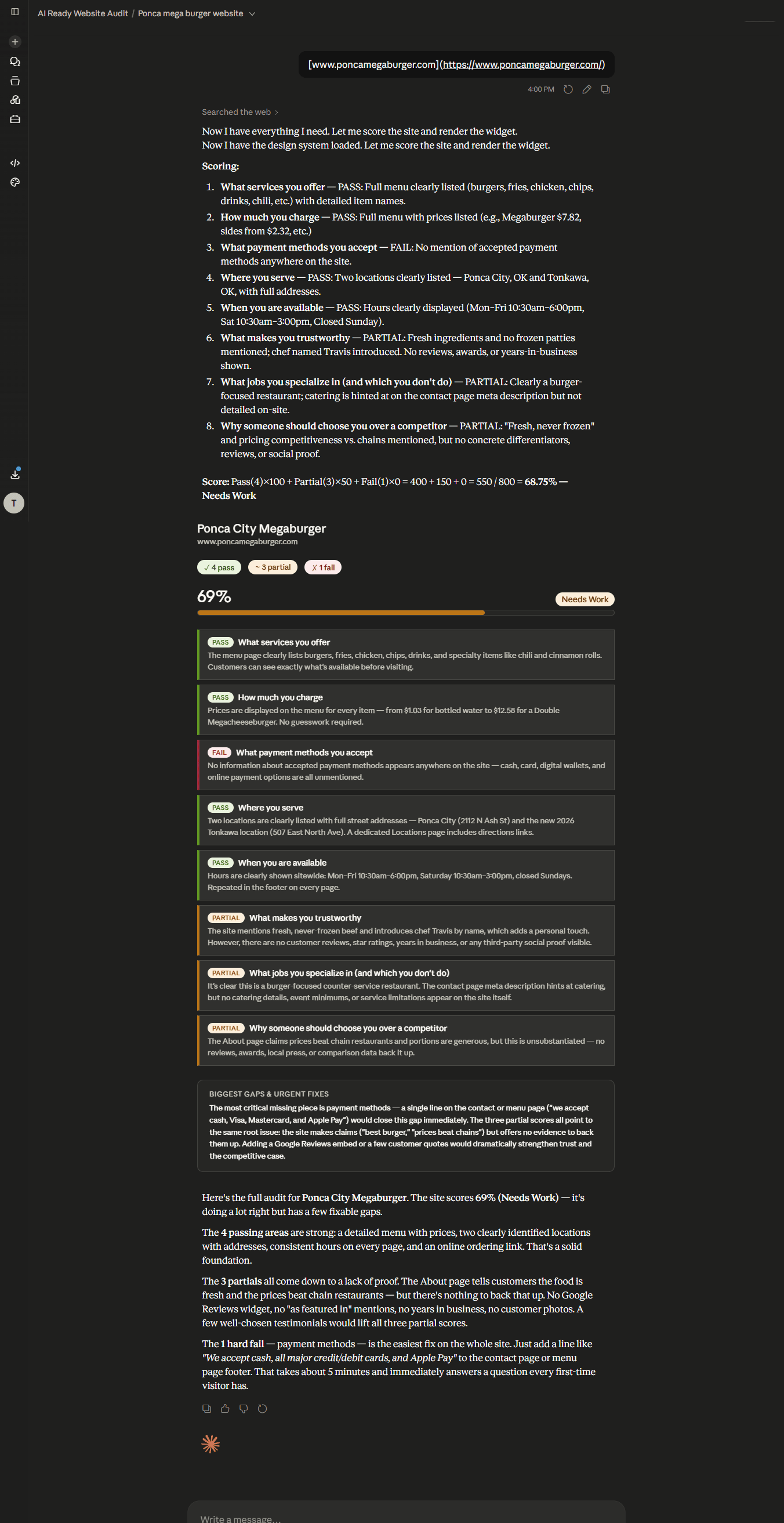
The screenshot below shows the full scan results. The scan only takes a minute (quite often 30 seconds or less).
It gives you an overall percentage score of the results and lets you know where the site is passing, partially passing, or failing.
Improving AI Search Visibility, Actionable Steps
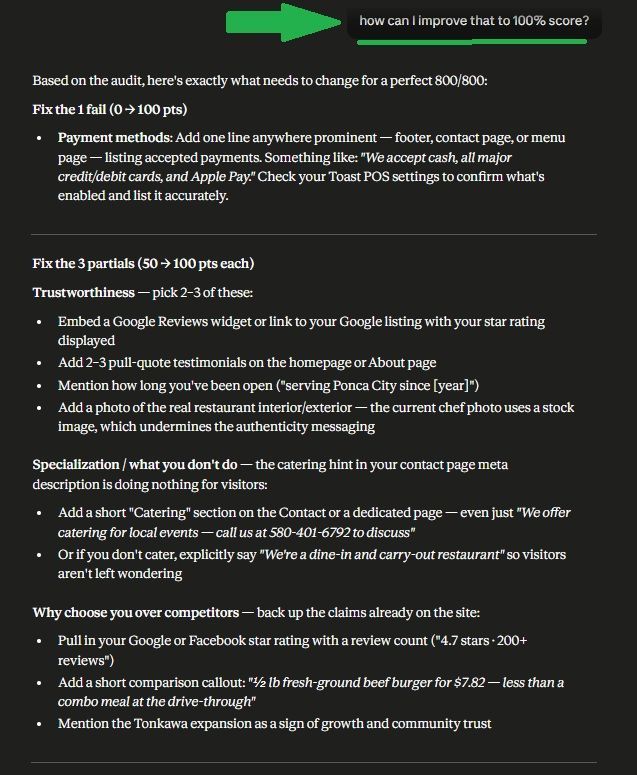
So, what steps should you take to answer all of the pre-requisite questions for the search AI engines? Just ask Claude after the results...
Simply type "How can I improve that to 100% score?" and it will give you the actionable steps.
Getting recommended by AI is already a top level goal to increase visibility online.
I hope this quick Claude tool helps your business site, or your client's sites. AI search is moving fast and quickly taking over, we all need to be optimized for it or we'll fall behind the competitors quickly.
I'm sure many will find ways to improve this, Darren Shaw already mentioned adding additional site pages to the scan (I started with just the Homepage, About, and Contact in the scan) I have added those to the instructions above. I'd love to hear from you with any additions or improvements!
Find Darren Shaw and Whitespark on YouTube @WhitesparkCa and sign up for his newsletter here.
And of course,
mandatory self promotional plug incoming, if you need help increasing the visibility for your business, just
reach out. I'd love to help.


Send this article to a friends. Sharing is caring!
Stay Updated! Sign up for our Newsletter.
Not getting clicks from your bounce house Google Ads? Discover the #1 reason campaigns fail and how to fix it to get more bookings.

Discover The Go Cowley Project, a local directory built to help people find businesses, events, and organizations across Cowley County, Kansas. Join in!

Why NAP consistency is a crucial factor in local SEO success. No, not napping like "Buddy" on the office couch, N.A.P. Name, Address, Phone Number.
Want more bounce house and event bookings? Discover how Google Ads can deliver instant leads and long-term growth - plus one hidden advantage most miss.

Is Your Business Email Being Spoofed? Let's Find Out.

Quick and Comprehensive Google Business Profile Guide. Increase search engine visibility, reputation management, improve credibility, and better insights.
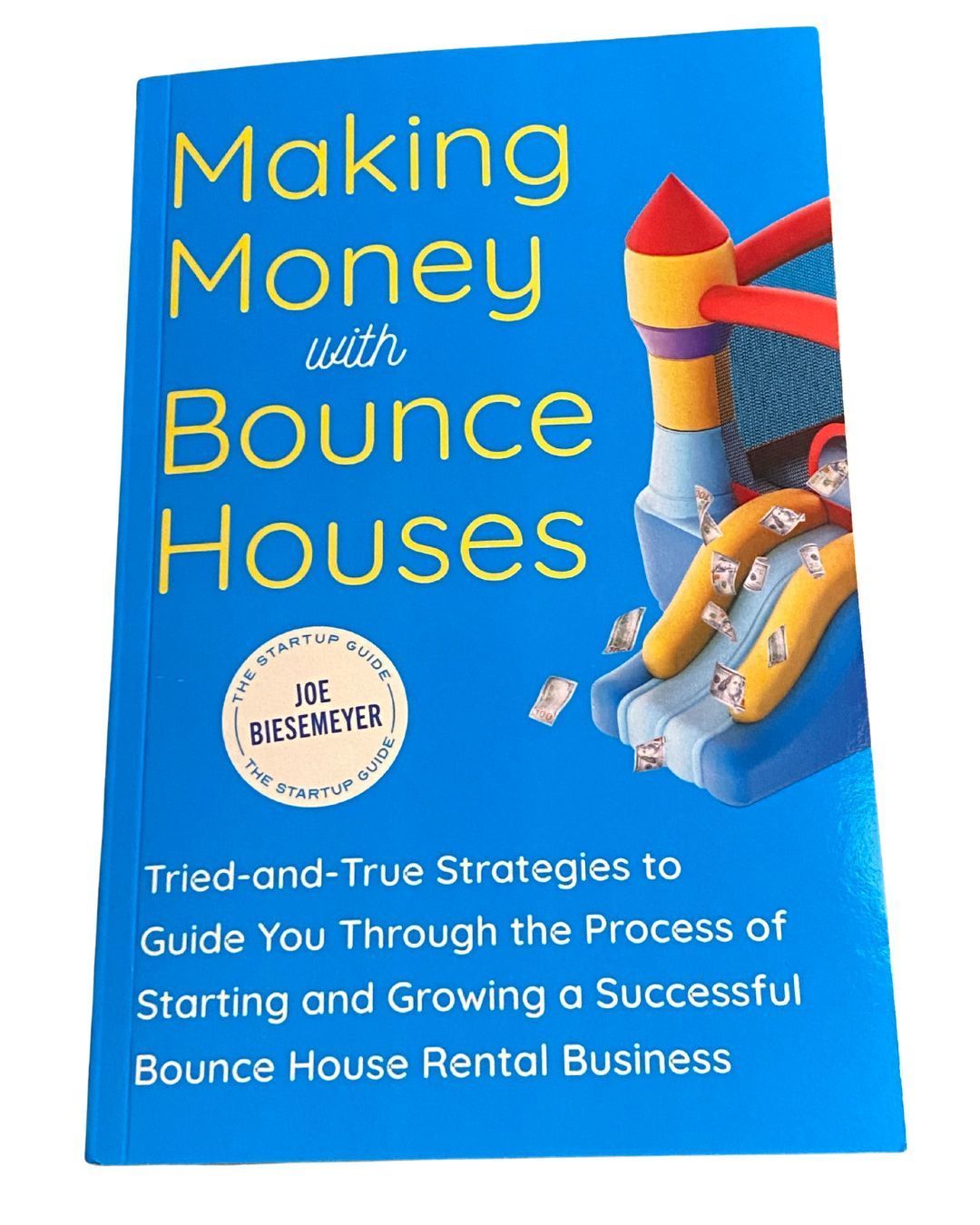
A Great NEW "How to start a bounce house business book" has hit the shelves!
Discover the most effective party rental advertising methods to boost your business! Learn proven strategies, from digital marketing to local partnerships, to get more bookings and grow your customer base.

Tired of constant spam messages hitting your Facebook business page inbox? Here's the way to stop the bulk of them... and it's quick and easy! Updated 07/23/2024

Boost your HVAC business with our HVAC Blast! Our expert digital marketing system helps HVAC contractors generate more leads and increase visibility without the hassles. Visit us today!